

Everyone keeps telling you to add an llms.txt file. The coverage tends to swing between hype and dismissal, and neither helps you decide. In short, llms.txt is a proposed Markdown file that gives AI tools a concise map of a site. Support is limited, and for most major platforms it is unconfirmed. Below, we sort what is verified from what is unverified or unknown, then show you how to build one fast if it fits your site.
What Is llms.txt? A Plain-English Definition
llms.txt is a proposed Markdown file, placed on a website, that gives AI tools a short overview of the site and links to selected pages. It is a navigation aid and has no power to restrict access (llmstxt). Jeremy Howard introduced the idea in September 2024. It remains an emerging convention that nobody is required to follow. Publishing the file changes nothing unless a tool actually retrieves and uses it.
It also won’t update a model’s training knowledge or prevent hallucinations, and it can’t guarantee accurate answers or citations.
What the Proposed llms.txt Spec Says
The llms.txt spec describes a compact Markdown index, placed at the site root or any subpath, that keeps detail behind its links. It calls itself an open proposal for community input, and the current version is v2, last updated in August 2026 (llmstxt). The file can sit at the root or a subpath like /docs/llms.txt, and the most specific file applies.
The proposal also recommends clean Markdown versions of pages, concise language, and informative link descriptions. Its suggested test is asking an AI tool questions using only the file.
llms.txt vs. llms-full.txt
llms.txt is a compact index of links, while llms-full.txt bundles full documentation content into one large file. llms-full.txt isn’t part of the proposal; platforms like GitBook and Mintlify generate it as a feature. GitBook describes it as a fuller single-file documentation export that can become very large (GitBook). Mintlify’s generated version combines the title, URL, description, and full Markdown of every page (Mintlify).
A bigger file means heavier downloads and more context consumed, plus more to maintain. Neither file needs to contain your entire site.
llms.txt Format and Copy-Paste Example
An llms.txt file needs only an H1 with your site or project name. Everything else is optional, in this order: a BOM, a blockquote summary, free-form Markdown, then H2 sections of link lists. Link entries use name with an optional note after a colon. A section named “Optional” is the convention for secondary links.
For best practices, write factual descriptions and skip slogans or instructions telling models to recommend you. Stay selective and don’t mirror your sitemap.xml. Ordinary HTML URLs work fine, so a .md extension isn’t required everywhere. Below is a template you can copy. Replace every placeholder.
# Example Company

> Example Company makes scheduling software. This file points to our setup guides and API reference.

Replace this line with one or two sentences of plain context.

## Docs

- [Quickstart](https://example.com/docs/quickstart.md): Install and run your first schedule
- [API reference](https://example.com/docs/api.md): Endpoints, parameters, and error codes

## Guides

- [Team onboarding](https://example.com/docs/onboarding.md): Invite users and set permissions

## Optional

- [Changelog](https://example.com/docs/changelog.md): Release history
This template has no User-agent, Allow, or Disallow lines. Those belong to robots.txt.
llms.txt vs. robots.txt: Different Jobs, Not a Replacement
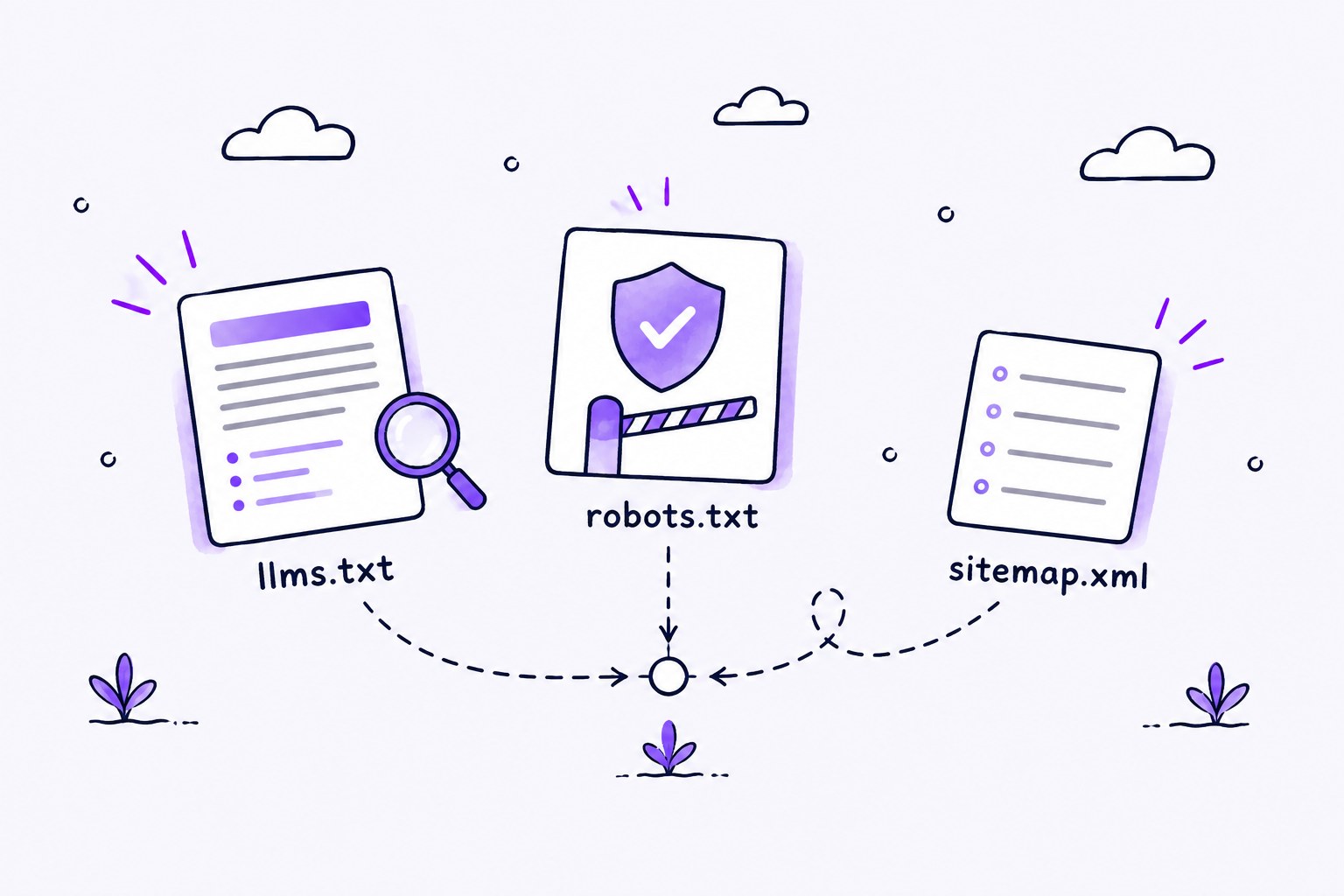
llms.txt curates what to read, while robots.txt states what crawlers may access. RFC 9309 defines rules crawlers are requested to honor and says they are not access authorization (RFC Editor). Google adds that robots.txt manages crawler traffic and is not a way to keep a page out of Google, and a blocked URL can still be indexed if linked elsewhere (Google Search Central).
The proposal says llms.txt complements robots.txt and does not replace its access controls. It also describes a sitemap as a list of indexable information and llms.txt as a curated overview with LLM-friendly links.
| File | Purpose | Controls access? |
|---|---|---|
| llms.txt | Curated overview with links | No |
| robots.txt | Crawler access rules | Requests only, not authorization |
| sitemap.xml | List of indexable URLs | Discovery only |
Neither file is authentication, so private content needs real access controls. Linking a page from llms.txt does not override robots.txt, logins, or firewalls.
For AI crawler controls, use robots.txt. OpenAI’s crawler docs describe OAI-SearchBot (ChatGPT search), GPTBot (possible training), and ChatGPT-User (user-triggered), with robots.txt as the control (OpenAI). So robots.txt rules and llms.txt do separate jobs. Blocking one agent does not block every AI use.
Who Actually Supports llms.txt? Verified, Unverified, and Unknown
No major AI platform has publicly confirmed that it reads other sites’ llms.txt files. Google Search says you don’t need one, and OpenAI, Anthropic and Gemini publish their own files for developer docs. “Support” means several different things: publishing a file, retrieving one, parsing it, and using it in an answer. We apply three tiers throughout. A claim is verified when a public primary source states it. Anything not established is unverified, and where no public statement exists at all, the answer is unknown.
Verified:
-
Google Search says you don’t need these files to appear in Search or its AI features.
-
Several AI companies publish their own llms.txt.
-
Bots do fetch these files.
Unverified:
-
Whether AI tools consume other sites’ files.
-
Any visibility benefit.
Unknown: anything with no public statement.
What AI Companies and Search Engines Have Said
AI companies and search engines have said little about reading llms.txt. Google says site owners do not need AI text files, special markup, or Markdown files to appear in Google Search, including its generative AI features (Google Search Central). That statement covers Google Search and its generative AI features.
Publishing their own files is another story. The proposal says OpenAI, Anthropic, and Gemini publish llms.txt for developer docs. OpenAI hosts its own (OpenAI). An Anthropic engineering article says LLM-friendly docs are commonly flat llms.txt files on official docs sites and links to its API docs index (Anthropic). We found no public Perplexity statement about llms.txt.
A company publishing its own file hasn’t promised to consume anyone else’s, and none of these companies has said it reads third-party files. Perplexity’s help center says its crawler follows robots.txt directives (Perplexity). Contentful says evidence of reliable gains in AI visibility, citations, referral traffic, or inclusion in answers is not widely validated, and calls the tactic experimental (Contentful).
| Platform | Stated position | Evidence type | Confidence |
|---|---|---|---|
| Google Search | Not needed, not used that way | Google Search Central | High |
| Google Lighthouse | Optional audit | Chrome for Developers | High |
| OpenAI | Publishes own file | OpenAI | High (publishing only) |
| Anthropic | Describes the pattern, links its docs index | Anthropic | High (publishing only) |
| Perplexity | Says its crawler follows robots.txt | Perplexity | High (robots.txt only) |
What Server Logs and Adoption Studies Show
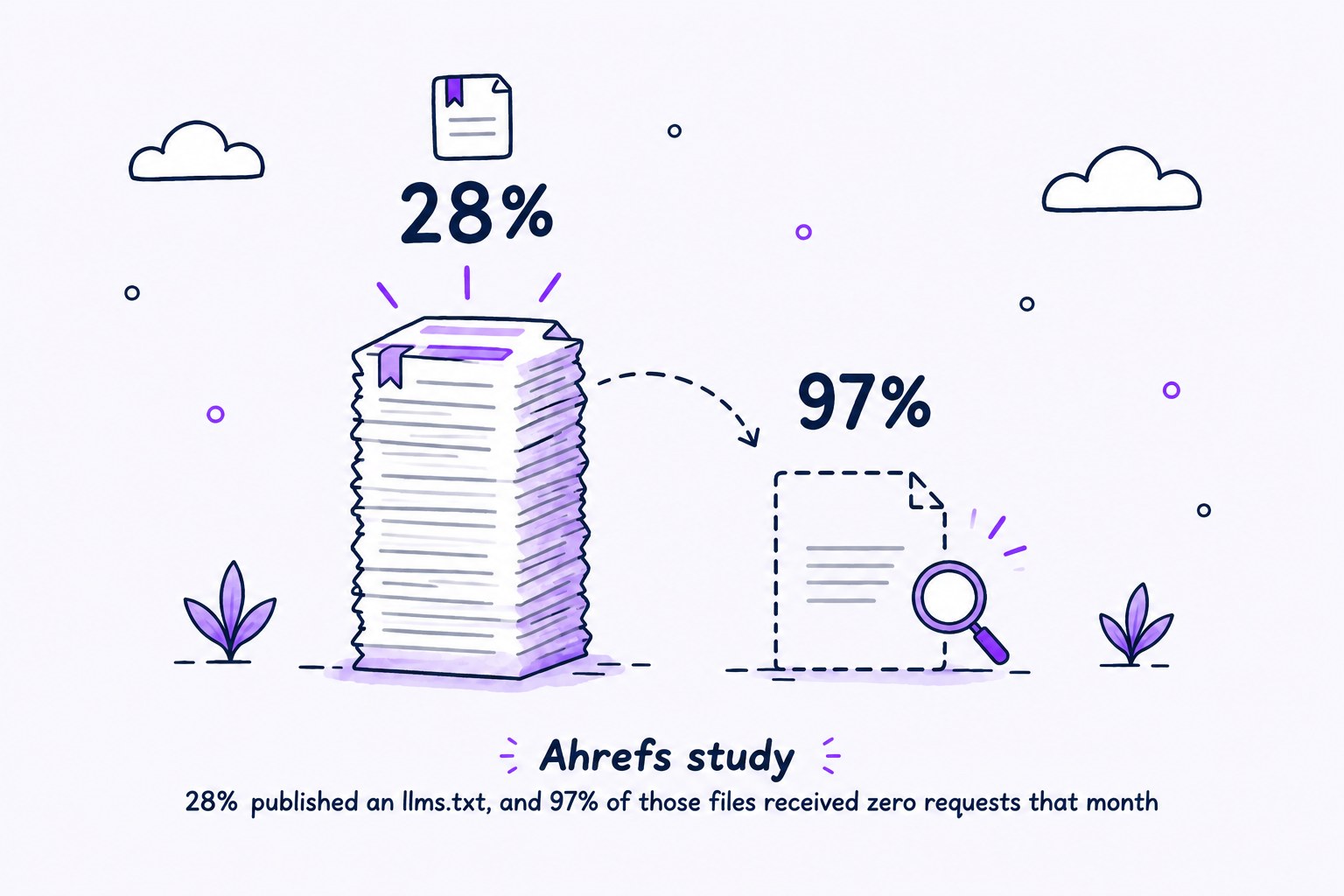
Server logs and adoption studies show that many sites publish llms.txt but few files get requested, and most requests come from bots that aren’t AI tools. Each study measures something different, so we don’t blend them into one rate.
-
Ahrefs looked at 137,210 domains with traffic in May 2026. It found 28% published an llms.txt, and 97% of those files received zero requests that month (Ahrefs).
-
Among requests to files that received traffic, 96% came from bots, and 77% of those bots were not AI tools. Named AI tools made up 19.5% of requests.
-
SEO auditing tools were 21.7% of requests and technology-profiling tools 11.6%. Ahrefs notes its customer base skews technical.
-
SE Ranking studied nearly 300,000 domains. It found 10.13% had a file and no correlation between presence and AI citation frequency (SE Ranking).
-
OtterlyAI ran a single-site experiment, so treat it as anecdotal. Over 90 days it logged 62,100+ AI bot visits and 84 requests to /llms.txt, or 0.1% of AI bot traffic (OtterlyAI).
-
Wix Studio AI Search Lab observed about 120,000 llms.txt files in Google results in May 2026, down from a peak near 200,000 in April (Wix Studio AI Search Lab). That figure measures indexing and says nothing about what any provider has committed to.
Where llms.txt Is Actually Used: Docs Sites and Developer Tools
llms.txt is used most heavily on software documentation sites, where coding agents follow it to find API references and tutorials. It also names business policies, personal sites, and school course information (llmstxt.org). GitBook points to public docs that change often, span multiple sections, or cover API references, guides, and onboarding (GitBook). Publishing is easy now, but easy supply isn’t proof of demand from AI search.
Should You Bother With llms.txt? The Short Answer
llms.txt is worth building only when a known tool or workflow will read it, like a coding assistant or an internal retrieval pipeline. It is optional documentation infrastructure, and you don’t need it to appear in AI answers. For Google Search visibility, Google says you don’t need it. For agent-facing documentation access, it can make navigation easier. It may help, but nothing here guarantees visibility or rankings, and traffic and citations are no more certain.
The cost is low and so is the risk, but it isn’t zero. You spend modest effort up front, then carry a maintenance burden. A stale file with broken links or mismatched Markdown copies can mislead the tools that do read it.
Sites Where It Is Worth Building
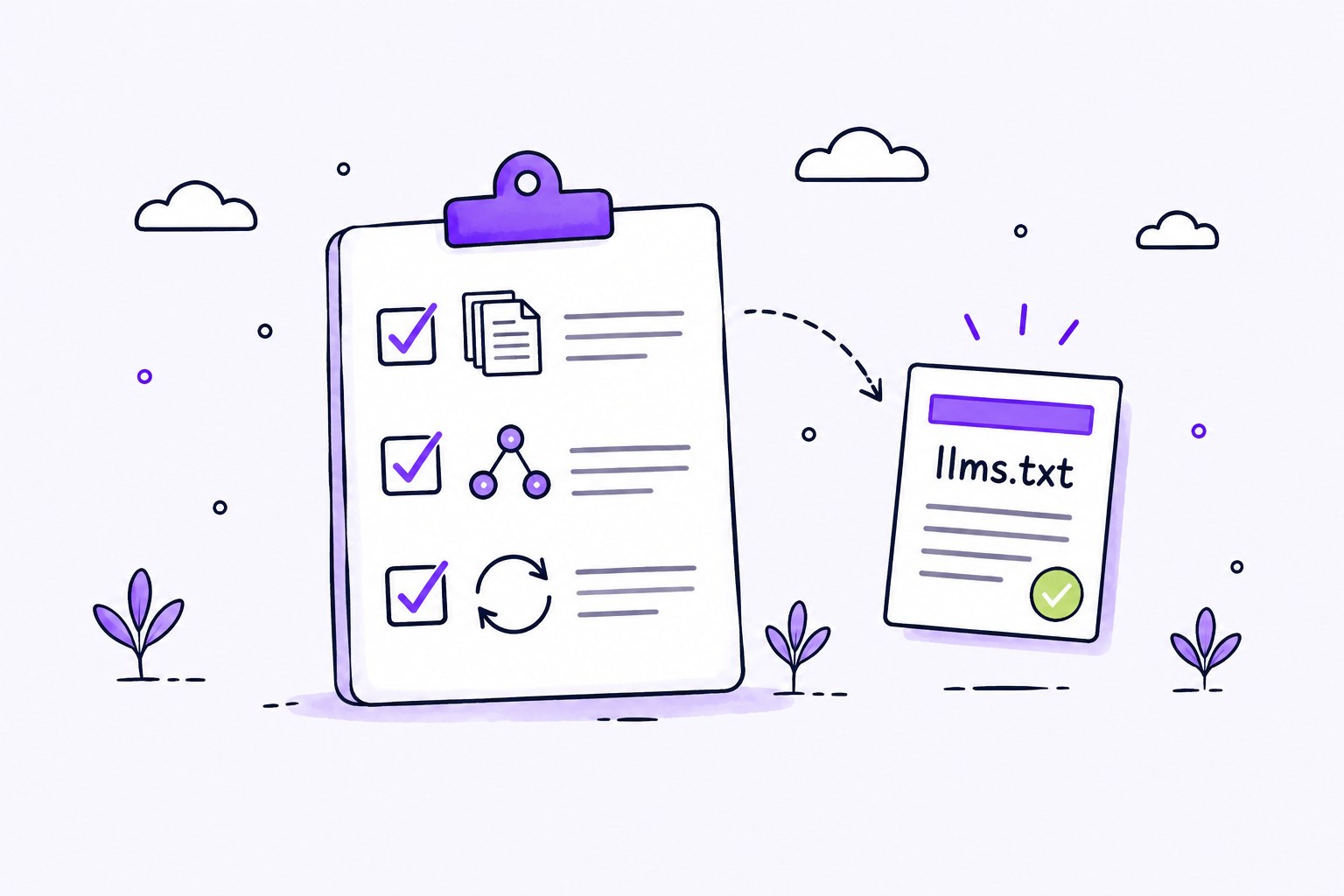
It is worth building where you can answer yes to these:
-
Does your site lean heavily on documentation?
-
Do you serve an API or developer audience?
-
Is your reference content updated frequently?
It gets more attractive when the file can be generated from existing docs inside your normal publishing workflow. Future compatibility is a possible side benefit, though it won’t pay off today.
Sites That Can Safely Skip It
A small site with clear navigation and little technical documentation can safely skip llms.txt, especially if no reader or workflow has been identified. We aren’t claiming any source lists site types that must skip it. That’s our judgment. Spend the time first on accessible content, reliable delivery, clear structure, and accurate information, along with sensible crawler settings.
When a client asks “do we need this?”, our answer takes two sentences. Only if a known tool or workflow will read the file, such as coding agents on a docs site. Otherwise it shouldn’t displace work on content quality, structure, and EEAT.
How to Create and Publish an llms.txt File
You create an llms.txt file by picking your most authoritative pages, writing a factual intro, grouping the links logically, and giving each link a concise description. After that, check for inaccurate summaries, duplicate URLs, obsolete pages, and links to nonpublic resources. There is no universal search-engine submission process. Adding your file to a directory does not guarantee anything reads it.
Write It by Hand or Use a Generator
Write llms.txt by hand when the index is small and you want close editorial control, and use a generator for larger documentation sets, as long as someone reviews the output. We suggest these neutral utilities:
-
Mintlify automatically hosts llms.txt and can host llms-full.txt, and a custom root file overrides its generated one (Mintlify).
-
GitBook automatically creates the files for published docs and also describes drafting by hand (GitBook).
-
Yoast can generate and refresh a file automatically, offers automatic or manual selection, and provides a preview (Yoast).
Upload, Validate, and Monitor Requests
Upload llms.txt to your docs root or a subpath, serve it as raw UTF-8 text rather than a styled page, then validate it and watch your server logs for requests. Check it with curl -I https://docs.example.com/llms.txt, which shows the status and content type (GitBook). Lighthouse can also check retrieval. Then test by giving an agent the file as its starting context and asking questions (llmstxt.org).
To monitor, filter server logs for /llms.txt and review the user agent. GPTBot and OAI-SearchBot are two to watch (OpenAI), along with ChatGPT-User, PerplexityBot (Perplexity), and Claude-Code (Ahrefs). A user-agent string alone doesn’t prove identity. Keep the signal separate from the noise, since a logged fetch isn’t proof of reading, and auditing and profiling tools generate many requests.
FAQs About llms.txt
Is llms.txt an official standard?
No, llms.txt is not an official standard. It’s an open proposal for community input, first published by Jeremy Howard in 2024 (llmstxt.org). Check the requirements of the specific tool you want to serve.
Does llms.txt control access like robots.txt?
No, llms.txt doesn’t control access. It has no Allow or Disallow rules, so use robots.txt for crawler preferences and real access controls for private content.
Will AI tools use my llms.txt file?
Not necessarily. An AI tool uses llms.txt only if it retrieves and reads the file, and nothing guarantees rankings, citations, or correct answers. In Ahrefs’ May 2026 study, 97% of published files received zero requests (Ahrefs).
Does llms.txt replace sitemap.xml?
No, llms.txt doesn’t replace sitemap.xml. A sitemap lists indexable URLs, while llms.txt is a curated overview with LLM-friendly links.
Does Google use llms.txt?
Google Search doesn’t need llms.txt. Google says site owners don’t need AI text files to appear in Google Search, including AI Overviews and AI Mode (Google Search Central). Separately, Chrome’s Lighthouse includes an optional llms.txt check in its experimental agentic browsing audit (Chrome for Developers).
Do server logs prove a bot read my llms.txt?
No, a logged request for llms.txt shows a fetch, not that the content was read or used. User-agent strings can also be spoofed, so a name in the log doesn’t prove identity.
What is the difference between llms.txt and llms-full.txt?
llms.txt is a compact index with links. llms-full.txt, as GitBook and Mintlify implement it, bundles fuller documentation content into one larger file.
Does llms.txt help you get cited by ChatGPT?
There’s no evidence llms.txt helps you get cited by ChatGPT. OpenAI hasn’t said ChatGPT reads other sites’ llms.txt files, and a November 2025 study of nearly 300,000 domains found no correlation between having a file and AI citation frequency (SE Ranking). For ChatGPT citations, allow OAI-SearchBot and follow our Get Cited by ChatGPT checklist.
Better-evidenced levers for AI visibility are clear structure, original information, authoritative sourcing, and entity clarity. That is the work our CyborgMethod is built around: a structured workflow, RAG-grounded sources, EEAT scoring, and human-in-the-loop review. If you run an agency, see how our AI article writing works or what we offer for agencies. Treat llms.txt as a small, optional extra once that foundation is in place.